01 / Complete project and review details
Enter the project name, number, organization, author, reviewer and date, and check the structure name. Use the actual authoring organization and replace all example details before export.
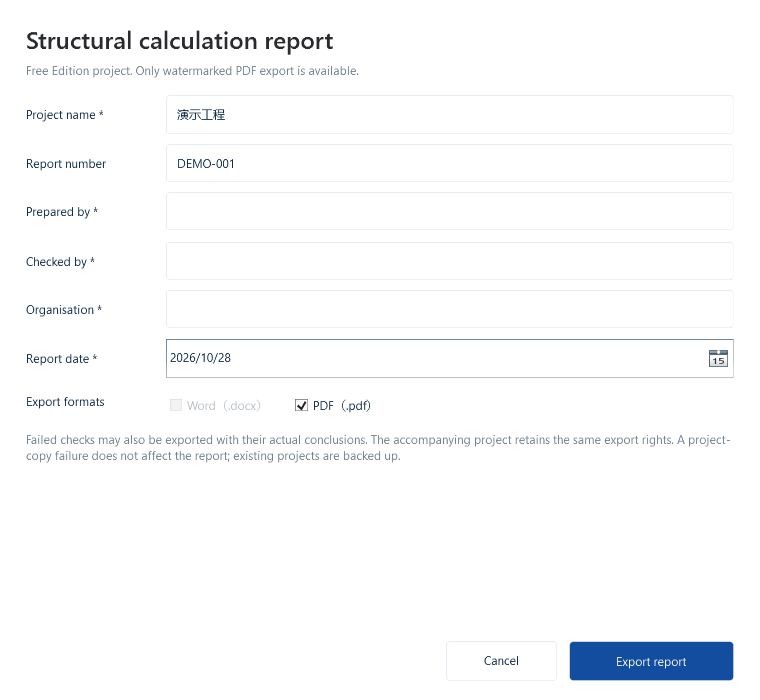
02 / Choose language and format
Free Edition allows unlimited watermarked PDF exports, with no Word. Enterprise-native projects (.stce) use enterprise rights for unlimited Word and watermark-free PDF exports. Free projects (.stcf) retain watermarked-PDF-only output even in an enterprise edition; Word remains unavailable.
Generate each required language separately and provide translations for user-entered names. The teaching demonstrations below connect the same case inputs with its actual bilingual report excerpts.
03 / Open the file and review it
Keep the complete cover on one page. Check project fields, contents, formulas, values, units, diagrams and page numbers in each language. Public teaching excerpts do not replace the complete report; the responsible engineering party reviews and signs the formal deliverable.
V3.0.4 improves pagination for long cover details. Export the formats available for your edition and project rights, then check that the full cover fits on one page without deleting required information.