STRUCTURE CUBE / V3.0.4 / DEMONSTRATION
Welded supports: from project to delivery.
Choose products, build the support, apply pipe loads, check results and export.
01 / PREPARE
Start with the right project and products.
- Create a project and choose prefabricated or welded supports.
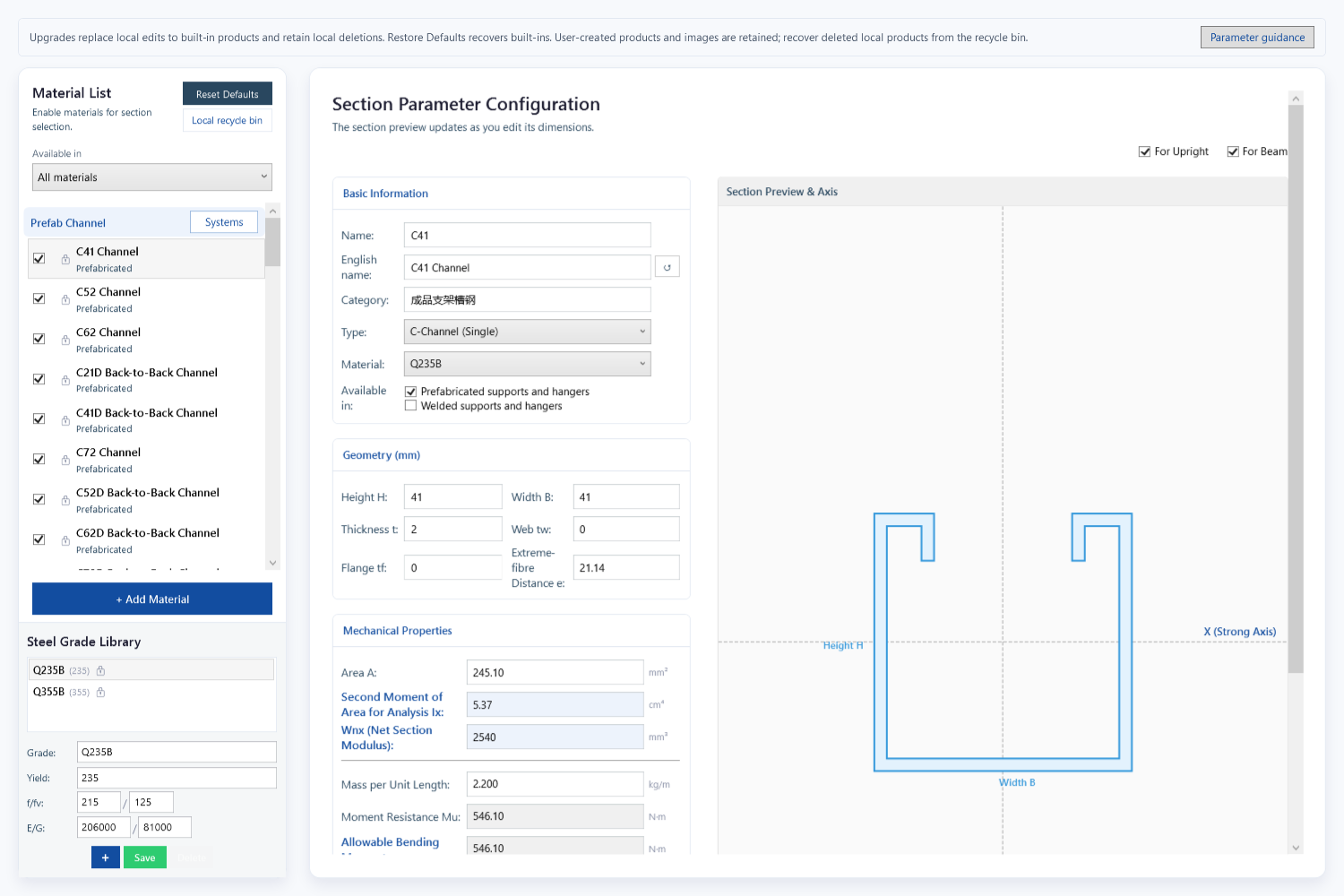
- Select sections in the material library; check steel, dimensions and properties.
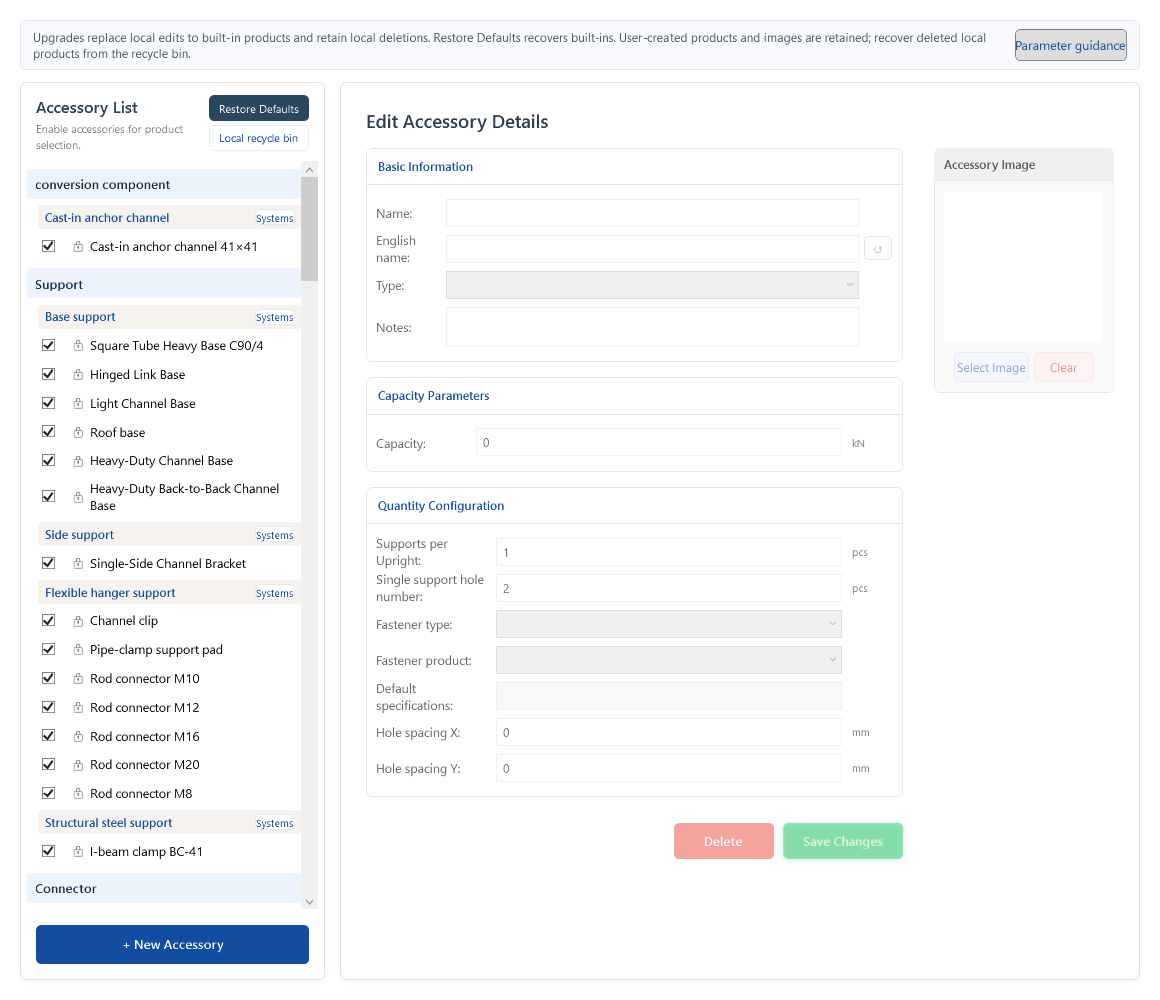
- Check connectors, bases and fasteners in the accessory library.
The demo uses built-in products. All editions support custom material and accessory libraries.
Materials · Select a section
Accessories · Check connections
02 / MODEL & LOAD
Place the pipes. Make every input traceable.
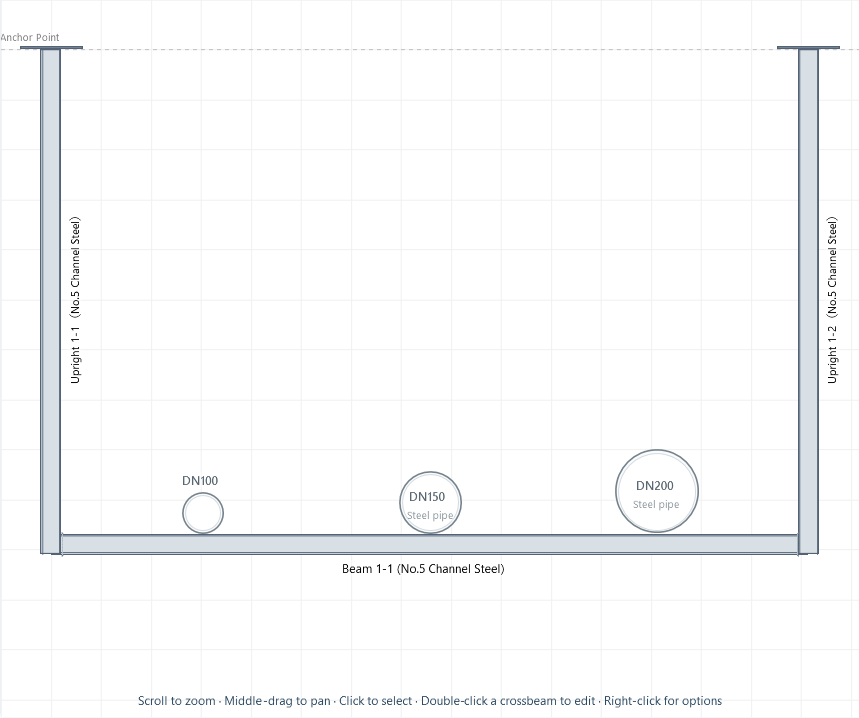
SELF-BUILT DEMO / INPUTS
- Beam span
- 1800 mm
- Support spacing
- 3000 mm
- Pipe condition
- Steel · Water-filled · Ambient
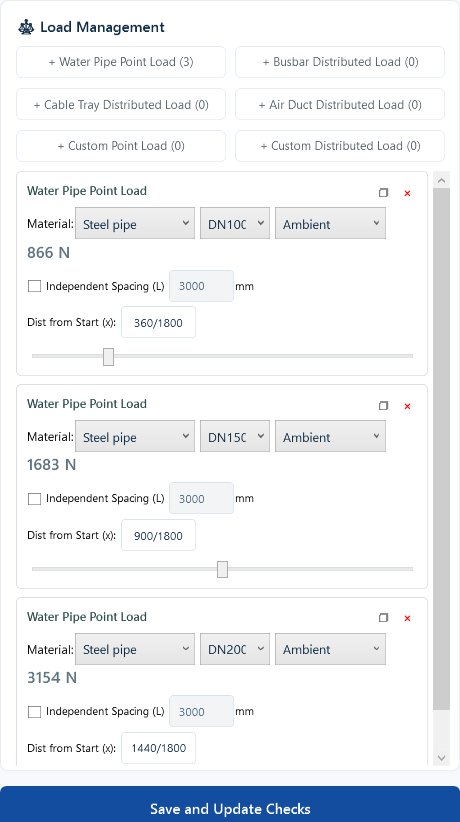
| Pipe | From beam start | Design load |
|---|---|---|
| DN100 | 360 mm | 866 N |
| DN150 | 900 mm | 1,683 N |
| DN200 | 1440 mm | 3,154 N |
Pipe selections determine the displayed design loads. Member self-weight is also included. Check each input against the arrangement.
View the actual pipe-input interface
03 / ANALYZE & SELECT
Understand the issue—and the next step.
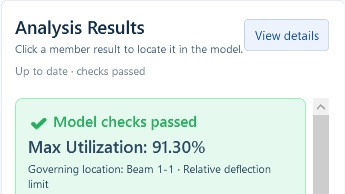
Review members and connections together
- Members: review beam and column checks
- Welds: review beam-column and column-plate joints
- Fixings: review base-plate and anchor checks
For this example with an 1800 mm span and 3000 mm support spacing, beam deflection is 6.58 mm against a 7.20 mm limit. Maximum utilization is 91.30%. The pass result applies only to the conditions entered for this example.
This case focuses on welded members, connections and fixing conditions. The actual smart-sizing run is shown in chapter 3 of the prefabricated demo.
04 / DELIVER
One project. Chinese and English deliverables.
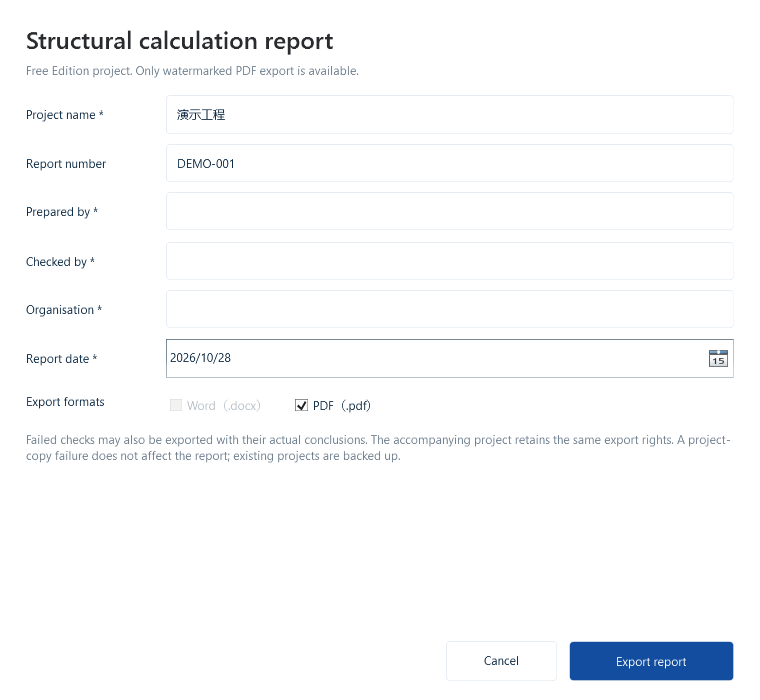
Check project, support and author/reviewer details, then choose the output format. Both montages below are actual exports of this pipe-support case.
The settings capture is Free Edition; report excerpts come from a separate enterprise build. Formats and watermarks depend on edition and project origin; free projects retain their export limits in enterprise editions. Engineering conclusions require the complete report.
View Free Edition export settings
Chinese output


ENTERPRISE-NATIVE PROJECT · ACTUAL EXCERPTS FROM A SEPARATE ENTERPRISE BUILD · ENLARGE EACH PAGE
English output


ENTERPRISE-NATIVE PROJECT · ACTUAL EXCERPTS FROM A SEPARATE ENTERPRISE BUILD · ENLARGE EACH PAGE
The software also has Chinese and English interfaces, independent of website language.
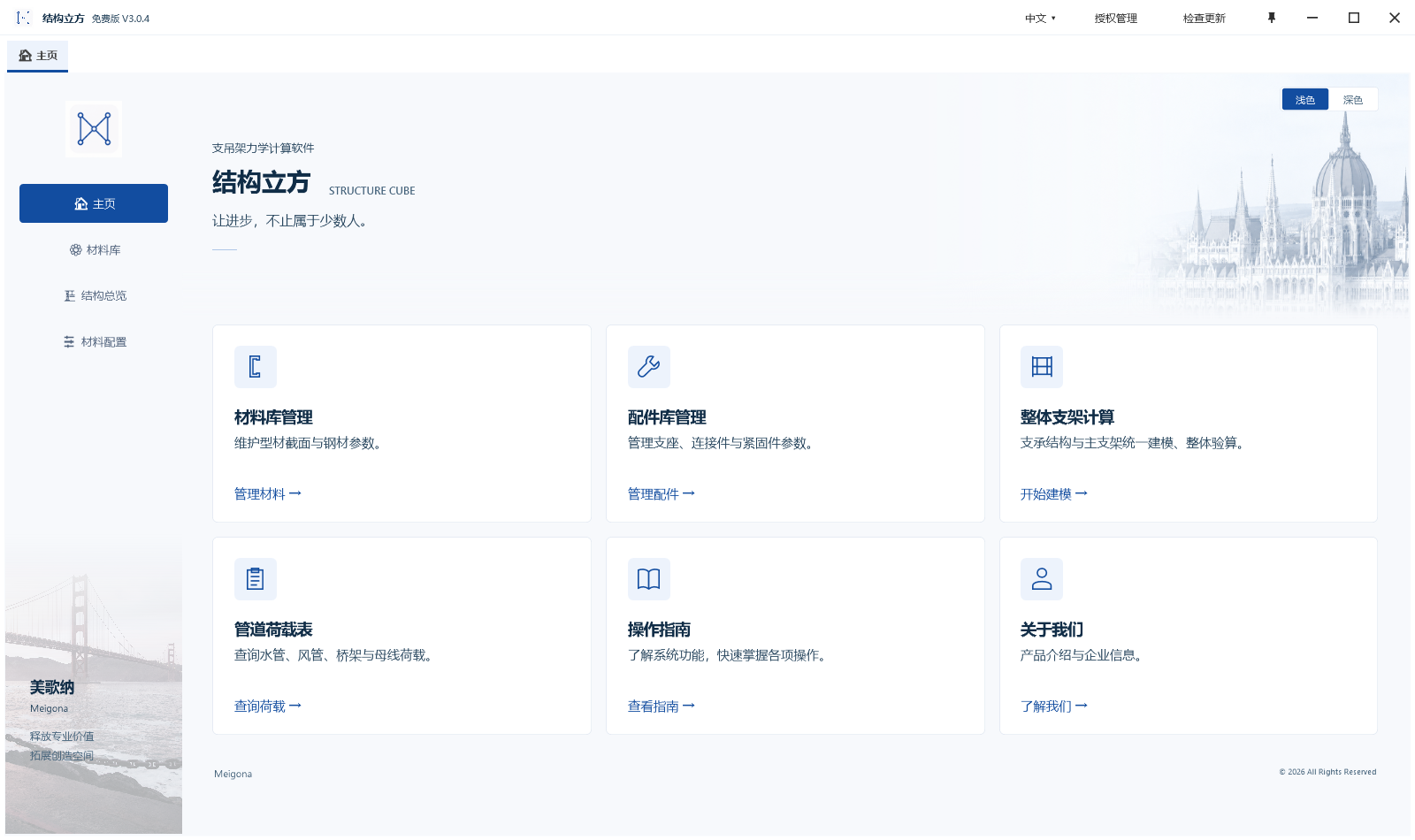
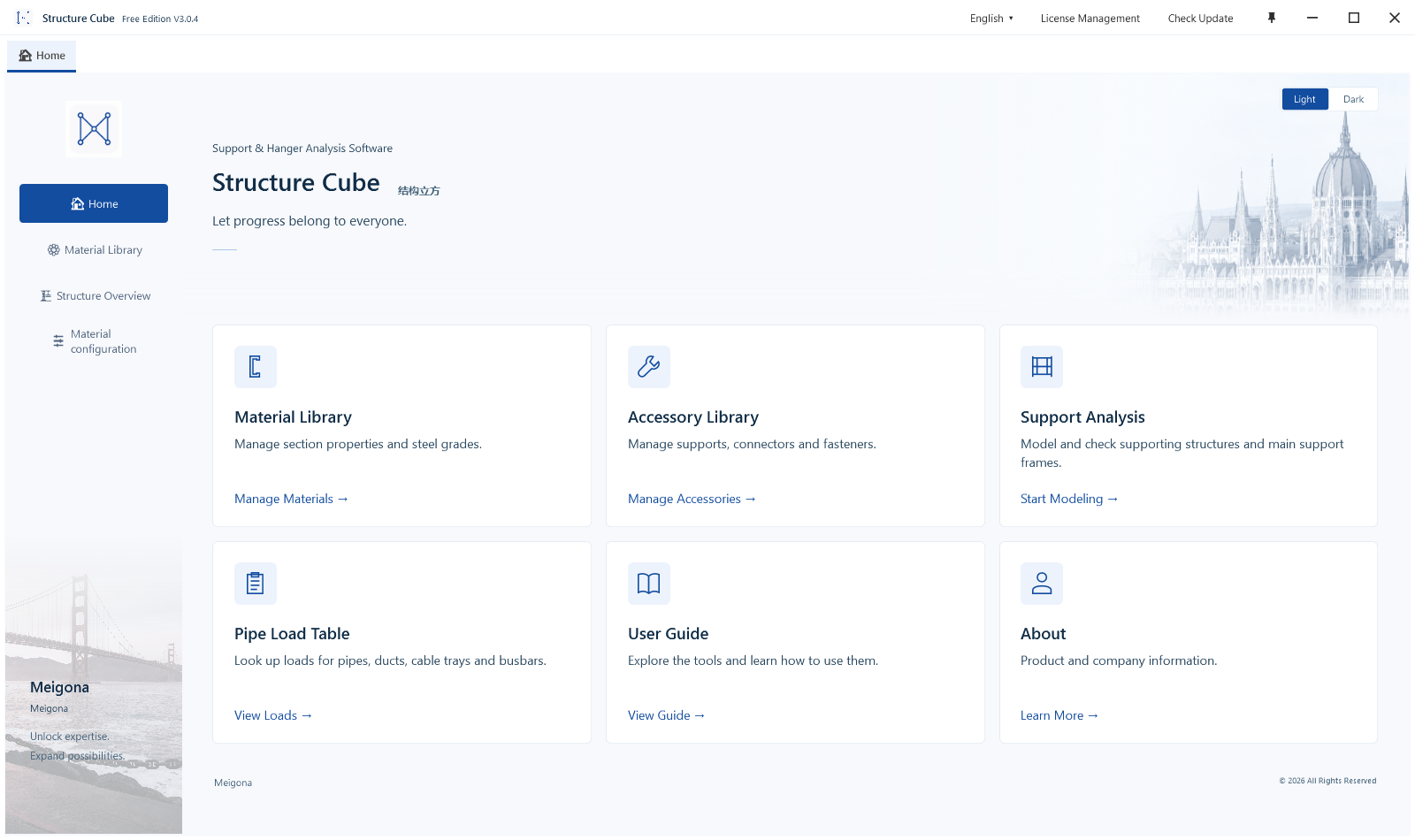
Prepare translations for user-entered project and organization names; they are not automatically translated.
Already have CAD drawings or a Revit model? Start with a connector.
Start from existing drawings and models.
Recognize, review adopted data, then calculate in the main application. Candidates, review items and transfer receipts are not passed checks.
CAD · Use Import settings, Pipe picking and Transfer in the Structure Cube ribbon: SCIMPORTSETTINGS, SCPIPEMAP and SCEXPORT. Start with one complete support and related services; review dimensions, sections, sizes and load assignment after transfer.
Revit · In the Structure Cube tab, review General settings before One-click calculation. Preselect multiple targets, or follow the single-object pick prompt when none is selected; Esc cancels. Review each group’s families, roles, sizes and pending items. Confirm all does not replace review.
After reception, verify the calculation unit, model and adopted values in the application before calculating. Accepted or queued receipts do not establish that a model has finished loading. Keep the host version, entry point, exact message and a redacted screenshot when troubleshooting.
These are current V3.0.4 operation facts, not completed end-to-end acceptance inside CAD/Revit. The application Light/Dark selector does not change plug-ins or Autodesk hosts. Confirm compatible versions and adaptation scope for the actual environment and agreement.
About these demonstrations
Current main-application captures use actual V3.0.4 Free Edition controls in Light mode with isolated self-created data. Both cases were reloaded and calculated; smart sizing was executed for the prefab case. Free Edition supports watermarked PDF only; enterprise outputs are verified separately using an enterprise build. These are not customer projects or independent engineering reviews.
Public material is limited to physical arrangements, pipe inputs, result headers and cover, basis and arrangement excerpts from the same cases. Internal models, source code, force diagrams, connection parameters and full reports are excluded. Project conclusions require professional review of complete inputs and reports.